Policyholder Portal
As a policyholder, you can access policies, claims, and documents that were uploaded to your account. You can search for nearby authorized agents by providing location details such as location name or ZIP Code.
You can also get contact information of your agent, driving directions on the map, and the agent’s availability.
When you purchase a policy, the system sends a welcome Email along with the login credentials to your registered email address. You can login to the Customer Application using these credentials, where you can access your details/preferences.
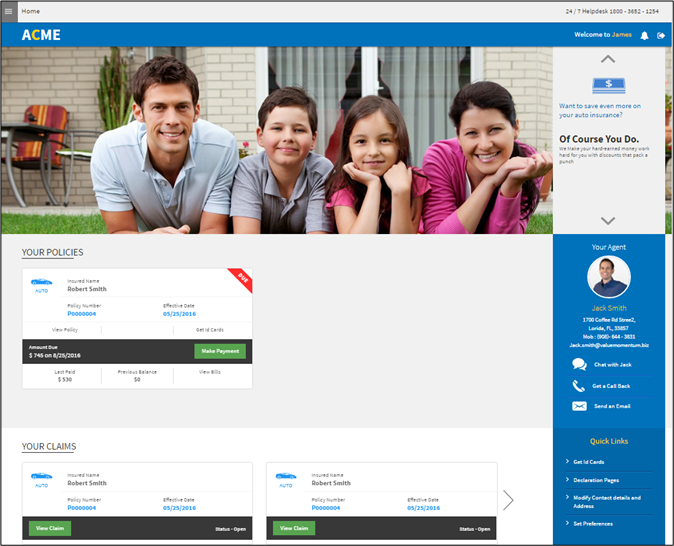
On this screen, you can view the following features:
-
Your Policies: Here, you can find all the policies that you have purchased. And you can perform the following actions:
-
Access the policy details
-
Access ID cards (only for Auto Policy)
-
Make payment for a policy
-
View Bills
For more details on your policies, click here.
-
-
Your Claims: Here, you can find all the claims filed against the loss occurred to the risk covered under an active policy. And you can perform the following actions:
-
View the list of claims and their status
-
Access the claim information
-
-
Agent details: Provides details through which you can contact the agent.
For more details on contacting your agent, click here.
-
Quick Links: Here, you can view the links to access various features such as Get Id Cards, Declaration Pages, Modify Contact details, and Address.